
Where Are My Meta Keywords? Why This SEO Question Comes Up (and Why It's Nothing to Worry About)
August 17, 2026
134 views
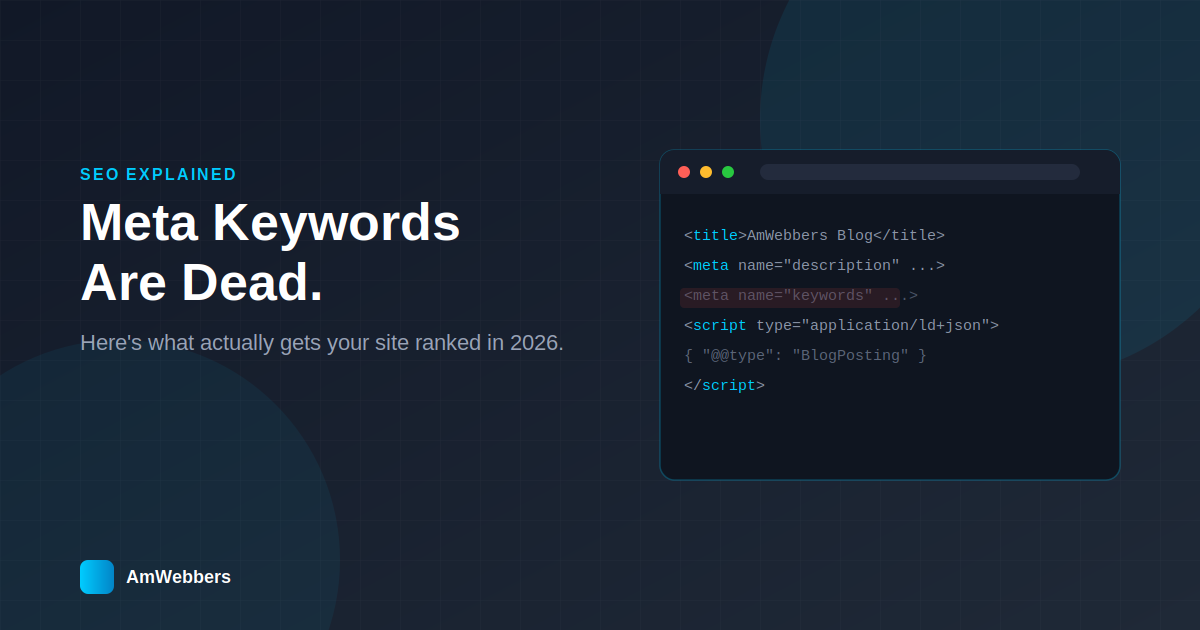
# "Where Are My Meta Keywords?" — Why This SEO Question Comes Up (and Why It's Nothing to Worry About)
If you've had a website built recently, there's a good chance you've opened up the page source at some point, seen a `<meta name="description">` tag, and thought — *wait, where's the keywords tag?*
It's one of the most common questions we get from clients after launch. And it makes sense: for years, "meta keywords" was treated like the secret ingredient of SEO. So when a brand-new site doesn't have one, it can feel like something got missed.
It didn't. Here's what's actually going on.
## The Meta Keywords Tag Is Basically Retired
Back in the early 2000s, the `<meta name="keywords">` tag was exactly what it sounds like — a hidden list of words a site owner could stuff into their page to tell search engines "hey, rank me for these terms."
The problem? Everyone abused it. Sites would cram in hundreds of irrelevant keywords just to game rankings. Search engines caught on fast, and by around 2009, Google had **publicly confirmed it no longer uses the keywords meta tag for ranking at all**. Bing followed the same path. Today, if a site includes it, search engines simply ignore it.
So a modern website not having a keywords tag isn't a gap — it's a sign the site was built to 2026 standards, not 2005 ones.
## What Actually Does the Work Now
Real SEO today is built on things that are much harder to fake, which is exactly why they still matter:
- **Page titles and meta descriptions** — the actual clickable headline and snippet people see in Google search results. These should be unique on every page, not copy-pasted across the site.
- **Structured data (schema markup)** — invisible code that tells search engines *what kind of thing* a page is: a tour package, a blog post, a business address, a review. This is also what powers rich results like star ratings or FAQ dropdowns in search.
- **Real content and headings** — search engines read your actual words, not hidden tags, to understand what a page is about.
- **Page speed and image size** — a slow, image-heavy page gets ranked lower, full stop. This is one of the more overlooked levers.
- **Sitemaps and clean URLs** — a map that helps search engines find and index every page efficiently, especially on sites that add new content regularly.
None of this is flashy. It's mostly invisible, unglamorous groundwork — which is exactly why it's easy to assume it isn't happening just because you can't see a keywords tag anymore.
## A Quick Way to Check Your Own Site
You don't need special tools to sanity-check the basics yourself:
1. Right-click any page → **View Page Source** → search for `<title>` and `<meta name="description">`. Are they unique to that page, and do they actually describe it well?
2. Run your homepage through **Google's Rich Results Test** to see if structured data is present and valid.
3. Check whether your site has a `sitemap.xml` and `robots.txt` file (just add `/sitemap.xml` to your domain).
4. Look at your largest images — anything over a few hundred KB is worth compressing.
If those boxes are ticked, your SEO foundation is in good shape — regardless of whether a keywords tag exists anywhere on the page.
## The Bottom Line
SEO didn't get simpler over the last 15 years, it got *quieter*. The tags that used to shout "rank me for this" are gone, replaced by structural and technical signals that are harder to see but far more reliable. If your developer built your site with proper titles, descriptions, and schema markup — and skipped the keywords tag — that's not something missing. That's the site being built correctly.
---
*Have questions about how your website's SEO is set up? [Get in touch with AMWebbers](#) — we're happy to walk through it with you.*
If you've had a website built recently, there's a good chance you've opened up the page source at some point, seen a `<meta name="description">` tag, and thought — *wait, where's the keywords tag?*
It's one of the most common questions we get from clients after launch. And it makes sense: for years, "meta keywords" was treated like the secret ingredient of SEO. So when a brand-new site doesn't have one, it can feel like something got missed.
It didn't. Here's what's actually going on.
## The Meta Keywords Tag Is Basically Retired
Back in the early 2000s, the `<meta name="keywords">` tag was exactly what it sounds like — a hidden list of words a site owner could stuff into their page to tell search engines "hey, rank me for these terms."
The problem? Everyone abused it. Sites would cram in hundreds of irrelevant keywords just to game rankings. Search engines caught on fast, and by around 2009, Google had **publicly confirmed it no longer uses the keywords meta tag for ranking at all**. Bing followed the same path. Today, if a site includes it, search engines simply ignore it.
So a modern website not having a keywords tag isn't a gap — it's a sign the site was built to 2026 standards, not 2005 ones.
## What Actually Does the Work Now
Real SEO today is built on things that are much harder to fake, which is exactly why they still matter:
- **Page titles and meta descriptions** — the actual clickable headline and snippet people see in Google search results. These should be unique on every page, not copy-pasted across the site.
- **Structured data (schema markup)** — invisible code that tells search engines *what kind of thing* a page is: a tour package, a blog post, a business address, a review. This is also what powers rich results like star ratings or FAQ dropdowns in search.
- **Real content and headings** — search engines read your actual words, not hidden tags, to understand what a page is about.
- **Page speed and image size** — a slow, image-heavy page gets ranked lower, full stop. This is one of the more overlooked levers.
- **Sitemaps and clean URLs** — a map that helps search engines find and index every page efficiently, especially on sites that add new content regularly.
None of this is flashy. It's mostly invisible, unglamorous groundwork — which is exactly why it's easy to assume it isn't happening just because you can't see a keywords tag anymore.
## A Quick Way to Check Your Own Site
You don't need special tools to sanity-check the basics yourself:
1. Right-click any page → **View Page Source** → search for `<title>` and `<meta name="description">`. Are they unique to that page, and do they actually describe it well?
2. Run your homepage through **Google's Rich Results Test** to see if structured data is present and valid.
3. Check whether your site has a `sitemap.xml` and `robots.txt` file (just add `/sitemap.xml` to your domain).
4. Look at your largest images — anything over a few hundred KB is worth compressing.
If those boxes are ticked, your SEO foundation is in good shape — regardless of whether a keywords tag exists anywhere on the page.
## The Bottom Line
SEO didn't get simpler over the last 15 years, it got *quieter*. The tags that used to shout "rank me for this" are gone, replaced by structural and technical signals that are harder to see but far more reliable. If your developer built your site with proper titles, descriptions, and schema markup — and skipped the keywords tag — that's not something missing. That's the site being built correctly.
---
*Have questions about how your website's SEO is set up? [Get in touch with AMWebbers](#) — we're happy to walk through it with you.*
#SEO
#meta tags
#Laravel
#web design